On The Go
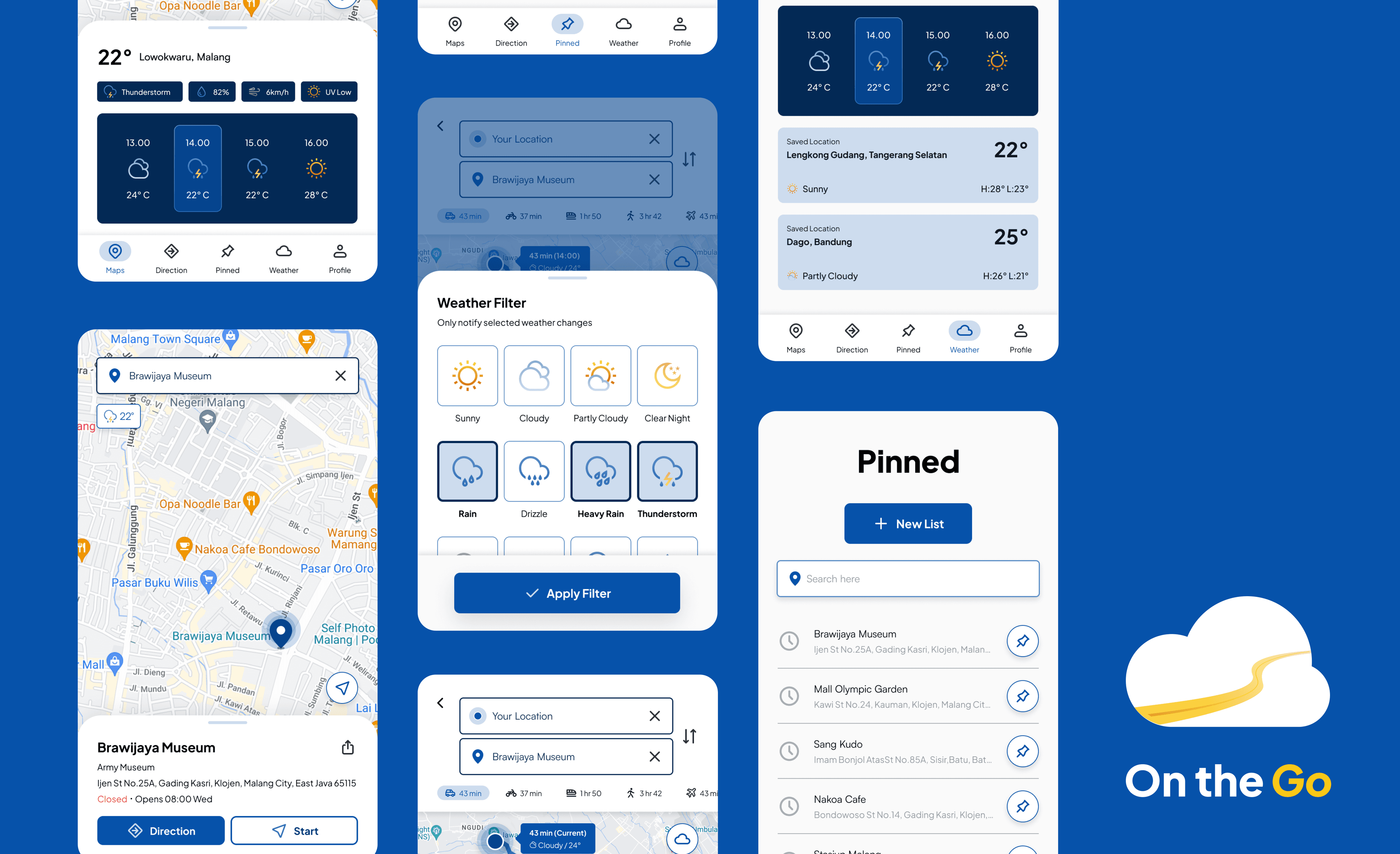
On The Go is a smart travel app that provides real-time estimates for distance, travel time, road conditions, and weather forecasts along your route. It tracks changes in traffic and weather, offers journey start time suggestions, and lets users save frequent destinations, ensuring smooth and informed travel planning.
Unpredictable commutes
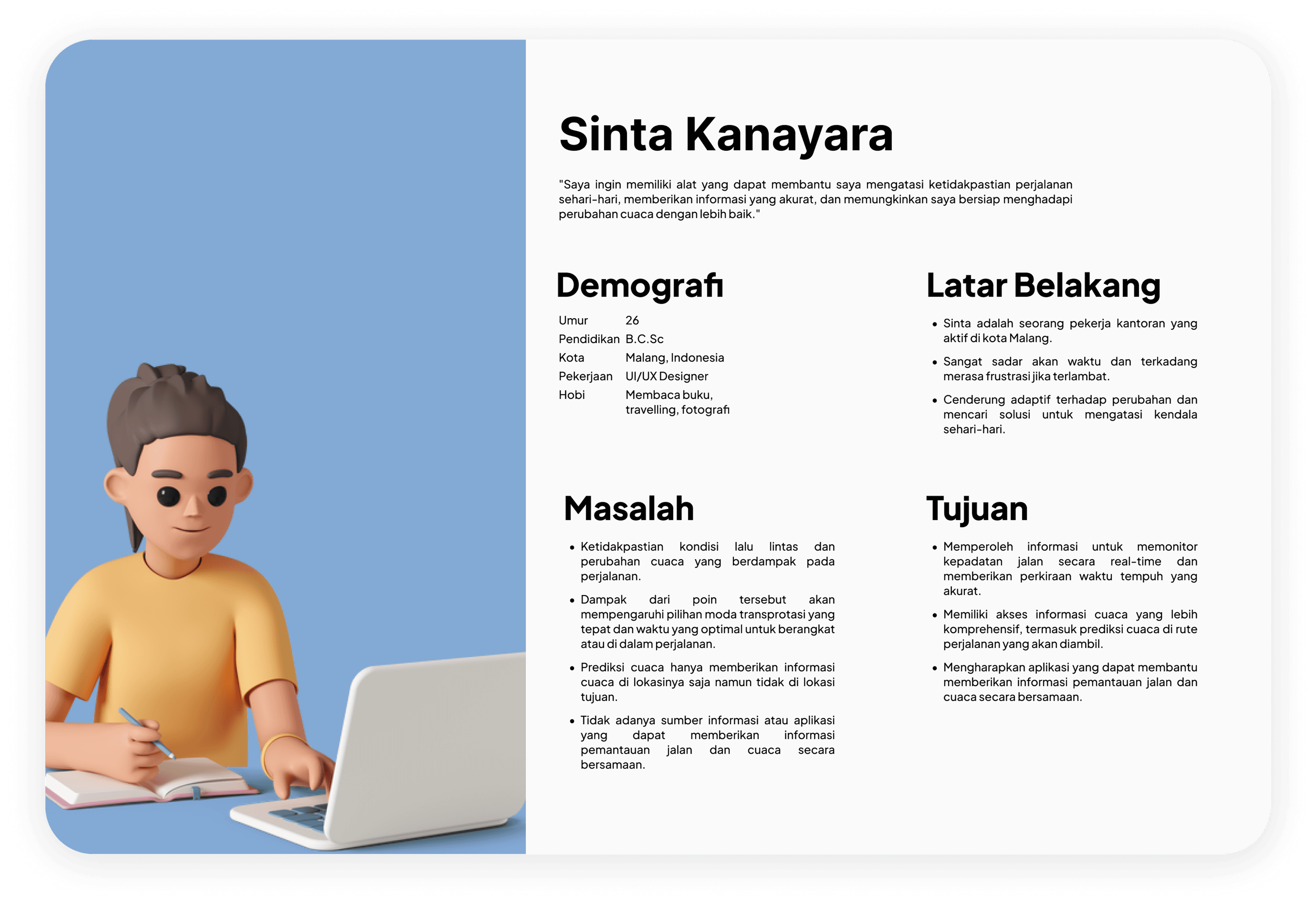
Sinta, an active office worker in Malang, often faces problems in planning her daily commute. Traffic congestion and changing weather conditions often make her late or even have difficulty in choosing a mode of transportation as well as confusion in dealing with possible weather changes. Sinta often relies solely on the radio when driving her vehicle to get the latest information about traffic around Malang. Recently, Sinta tried using a travel monitoring app to check road congestion and a weather prediction app, hoping to help her with road monitoring and weather prediction.
Before leaving for the office, Sinta opens the weather prediction app on her phone to see the weather forecast in the surrounding area. However, she often finds it frustrating that the app only provides weather information on her location. This makes it difficult for her to plan her outfit or determine the optimal time to leave. In addition, Sinta is also looking for a road and weather monitoring feature that can show real-time road conditions, including estimated travel time and provide weather predictions in the area she will be traveling through, allowing her to prepare for the journey.
UI/UX Designer
As UI/UX Designer, my main responsibilities are:
- Validate our hypothesis by conducting an In-Depth Interview
- Creating the UX process from affinity diagram, persona, empathy map, journey, until ideate our solutions based on user problems
- Creating the sketch, wireframe, design system, and high-fidelity design, until the prototyping
- Conducting usability testing to validate our design and ensure our design is already easy to use by the users
- Iterate the design based on feedback from Usability Testing
Design Thinking method
We used Design Thinking method to understand users, challenge assumptions, define problems and create innovative solutions to prototype. In this scenario, I will explain the timeline using design thinking process.

From empathize to prototype
Empathize
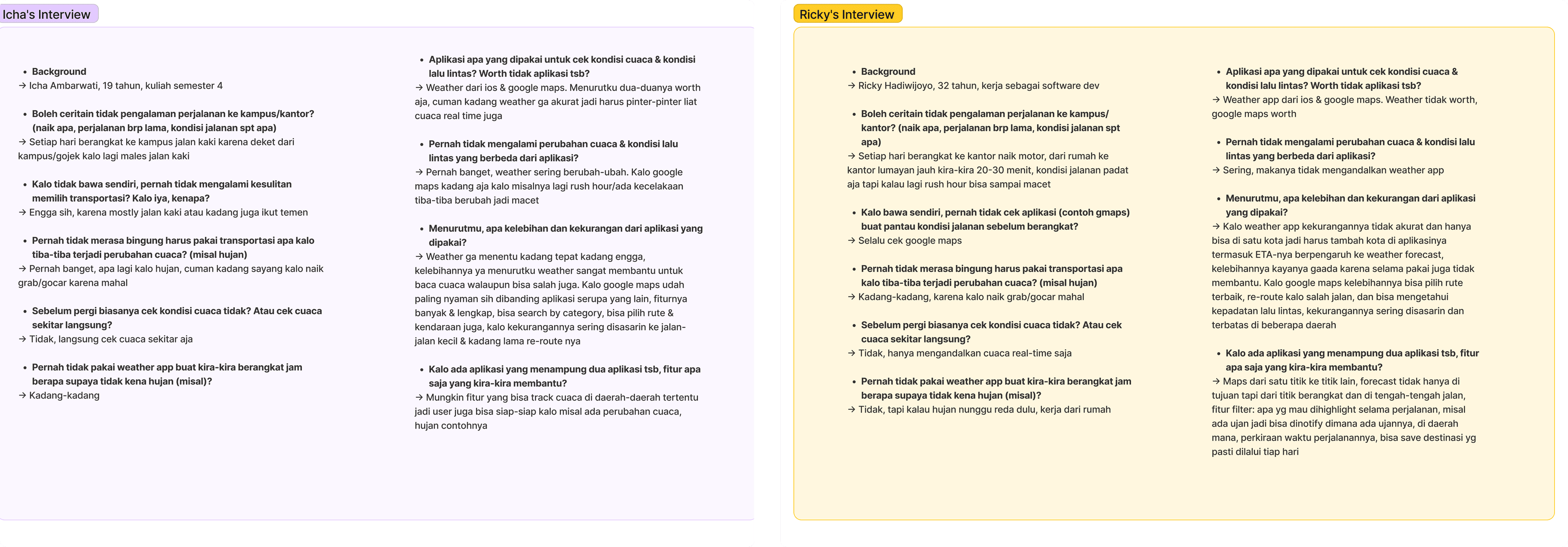
After understanding the brief, I then conducted interviews to collect data and seek validation of the problems faced by the user in the brief. Interviews were conducted with 2 interviewees.
Takeaways
After conducting the two interviews, the problems and suggestions from the users can be summarized:
- Both users do not rely on the weather application to check the weather conditions at that time, they will check the surrounding weather conditions directly.
- The weather app is not very accurate.
- Weather and maps have different ways of working: maps — real-time; weather app — forecast and by city/region.
- Maps especially Google Maps is very helpful with its complete features.
- There can be a feature to track the weather in certain areas during the trip, there is a filter feature for weather change notifications, ETA affects weather predictions, and can save destinations that are often traveled through.
Empathy Maps
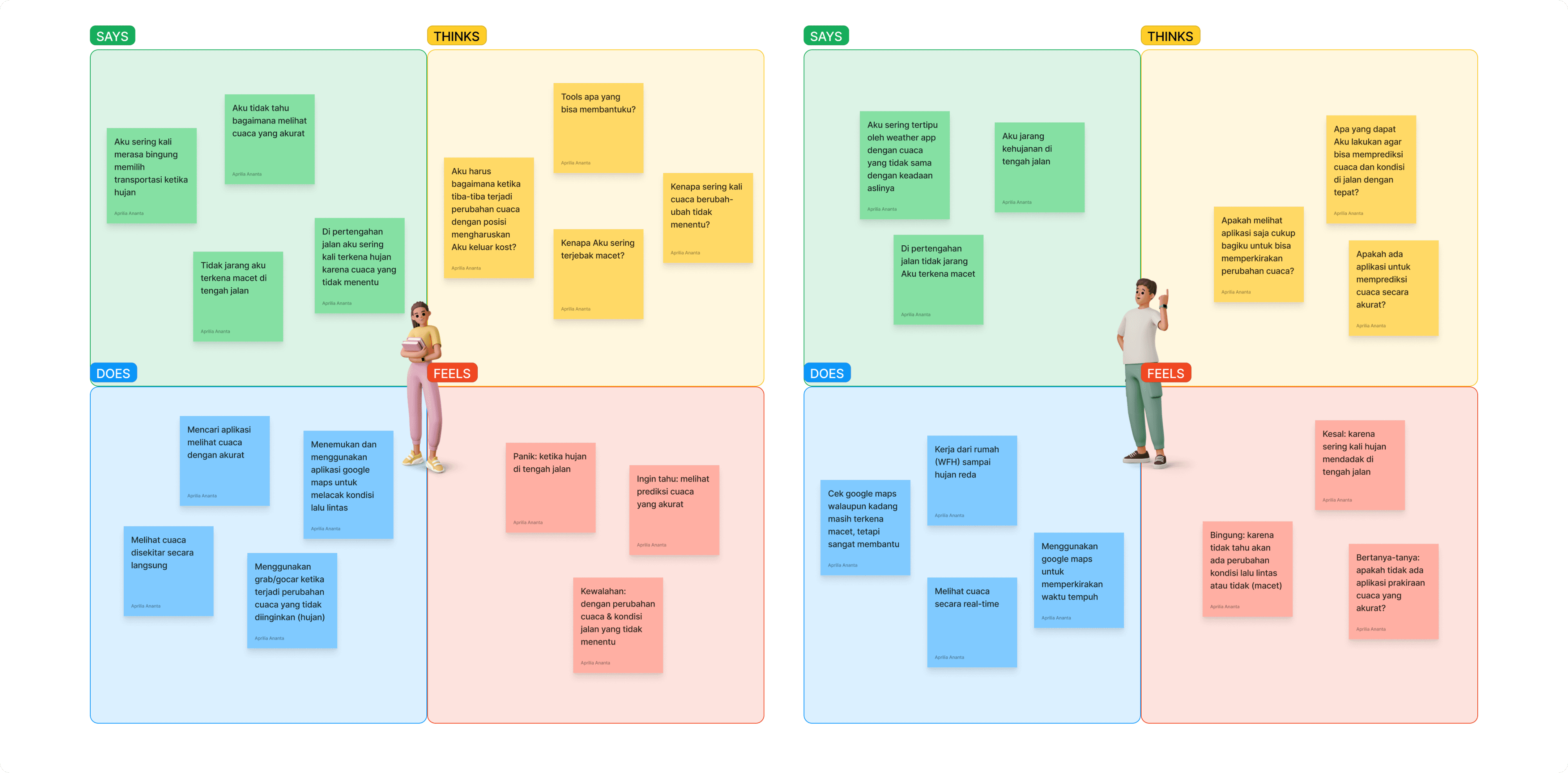
To feel more empathy for the users, I then created Empathy Maps for each of the users I had interviewed. Empathy Maps aims to describe and understand user experiences and emotions so that designers can create better and more relevant user experiences.
User Persona
The next step is to create a User Persona from the data I have collected and then create a fictional representation to personalize the user experience and focus the design on the main user according to the needs and problems at hand.
Competitor Analysis
The purpose of Competitor Analysis is to gain deep insight into the competitive environment and evaluate competitors' products or services.
Research conclusions & feature definition
📍 On The Go Features
- Estimate Distance, Travel Time, Road Conditions, and Transport Options
- Weather Forecast Based on Route
- Filter for Weather or Traffic Changes
- Save Frequent Destinations
- Journey Start Time
- Road Details
- Weather Details for the Day
👀 Idea
After conducting competitor analysis and based on the results of interviews, the most complete and easy-to-use features are maps from Google Maps, and weather app from Google Weather. Therefore, the application that will be created during the development process will take the API from Google Maps and the API from IBM Weather (which Google Weather takes its API from here), so that it is data-enabled to combine maps and weather in one application and the work will not be from 0.
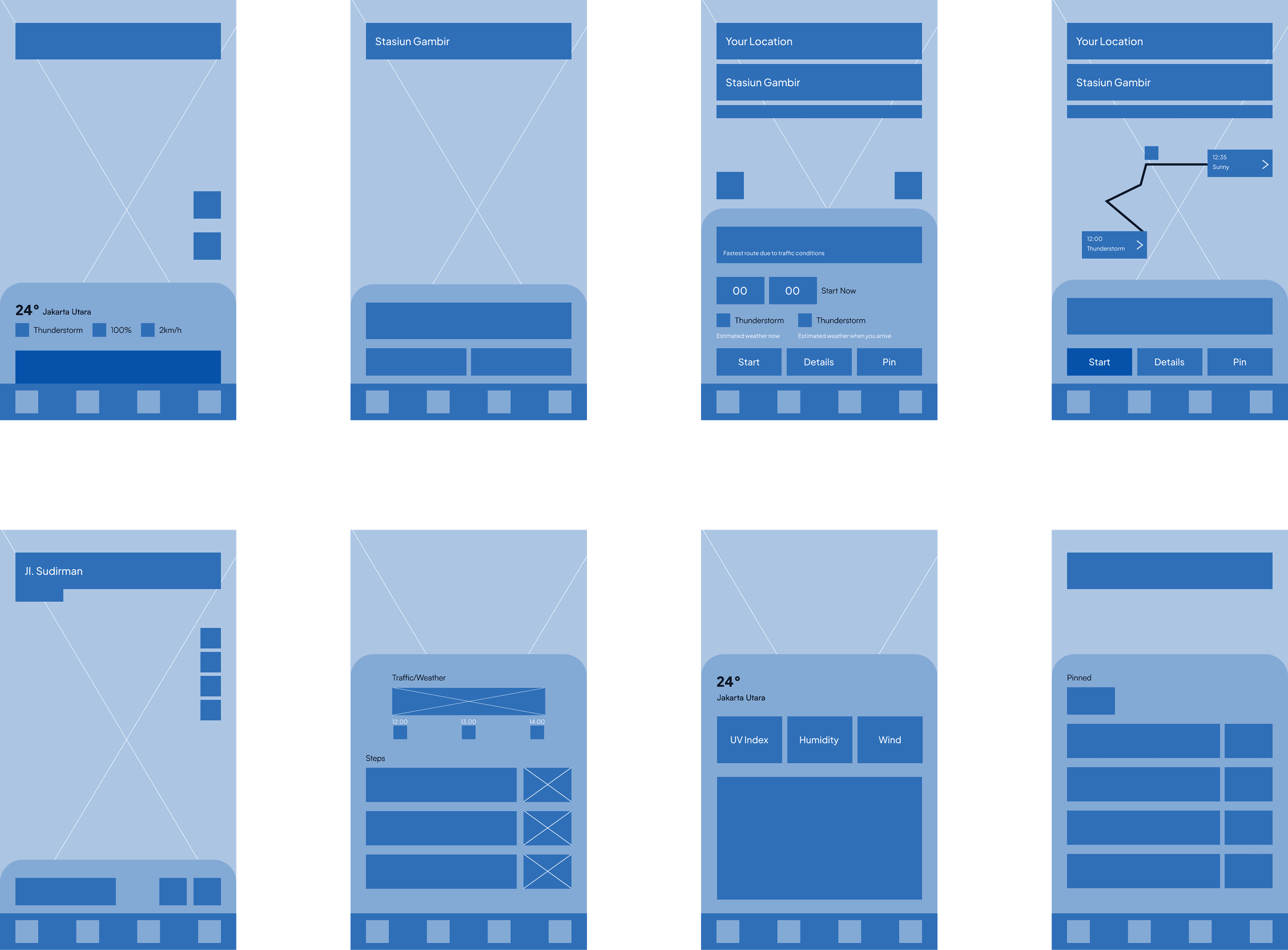
Foundational blueprint
Foundational blueprint for the app's layout and structure, offering a clear visual guide for the placement of key elements and ensuring an intuitive user flow.
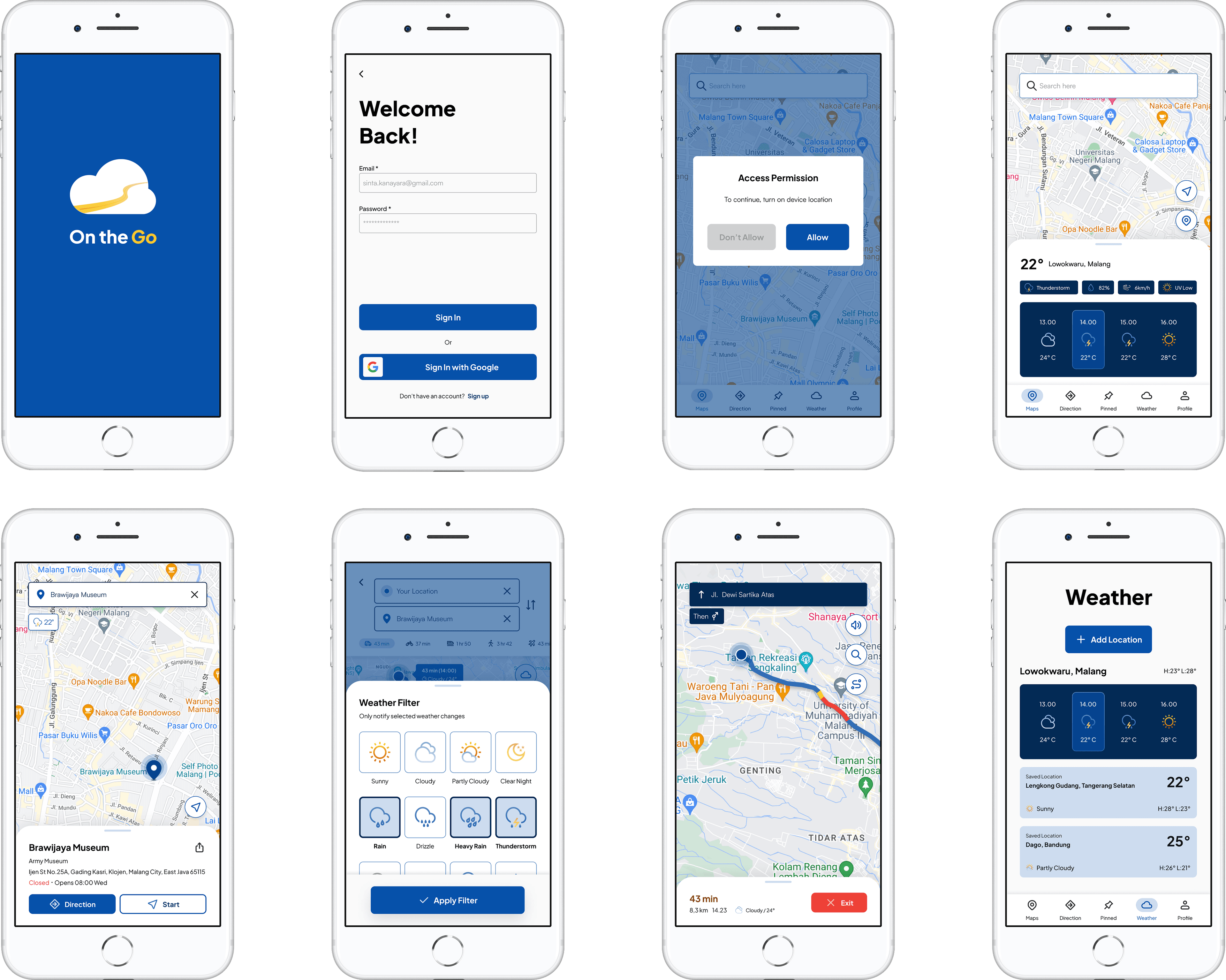
High-fidelity prototype
From the user insights, we can now move forward to creating a high-fidelity prototype focused on improving the app.
 Scan for full prototype
Impact on the Project
Using the design thinking method, I identified gaps between existing weather and map applications, enabling me to develop a travel app that seamlessly integrates weather forecasts with real-time map data. This resulted in a more efficient and user-friendly journey planning experience.