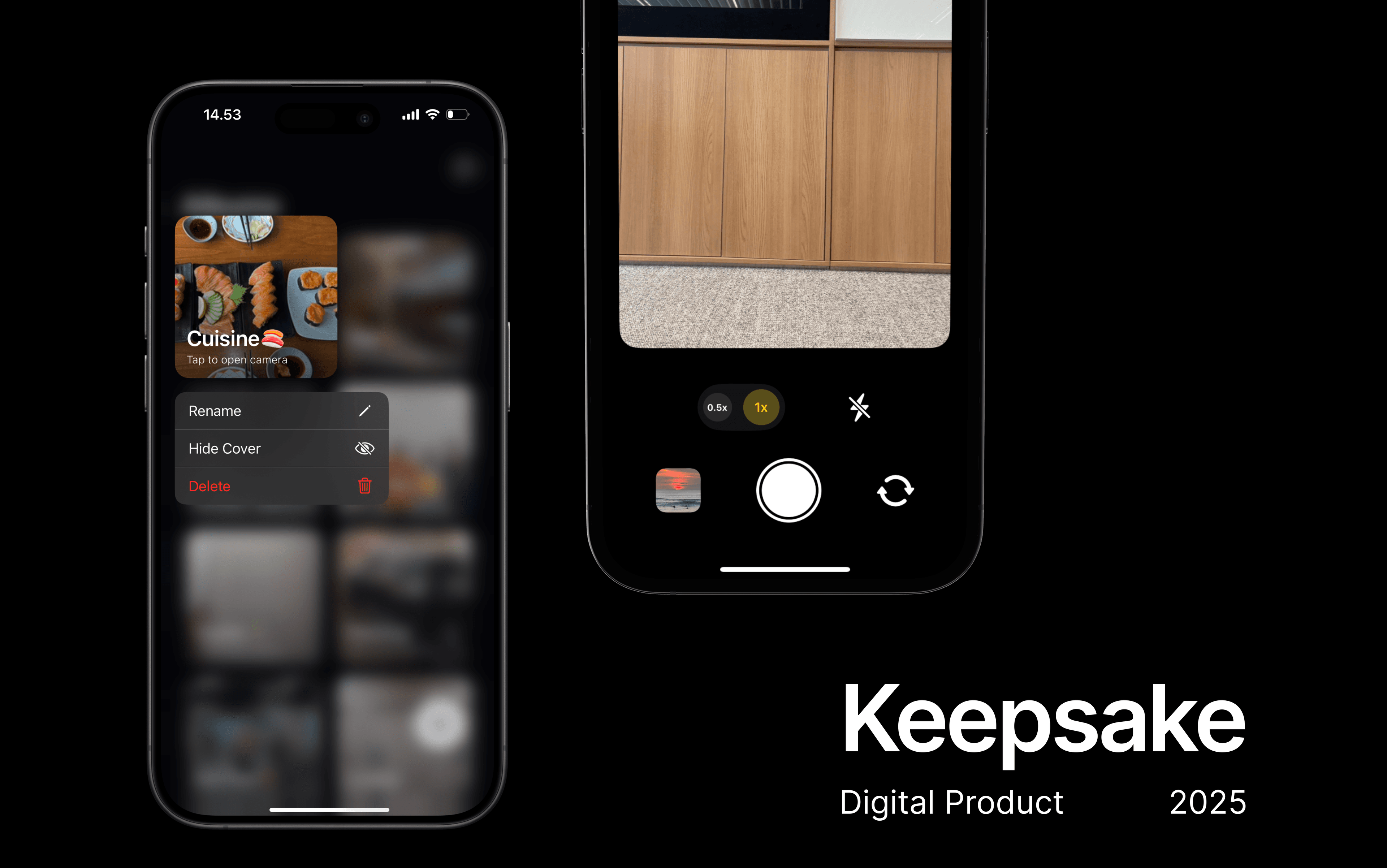
Keepsake
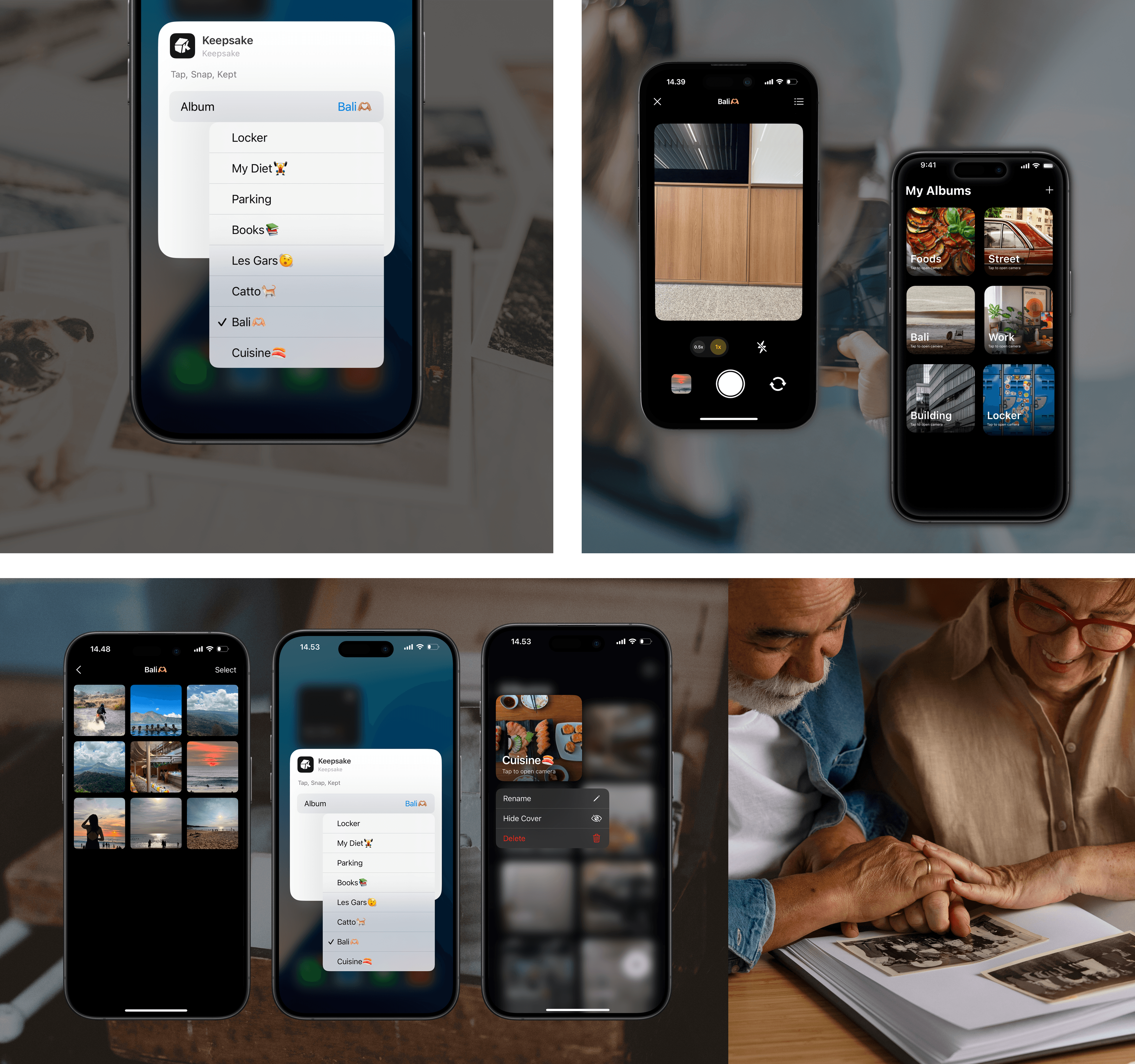
Keepsake is a mobile product designed to help users capture important moments with purpose and place them exactly where they belong. Through customizable Home Screen widgets, the app enables one-tap photo capture that automatically saves images into pre-selected albums. By removing manual sorting and post-capture friction, Keepsake transforms everyday snapping into an intentional and organized workflow.
Functional Photos Get Buried
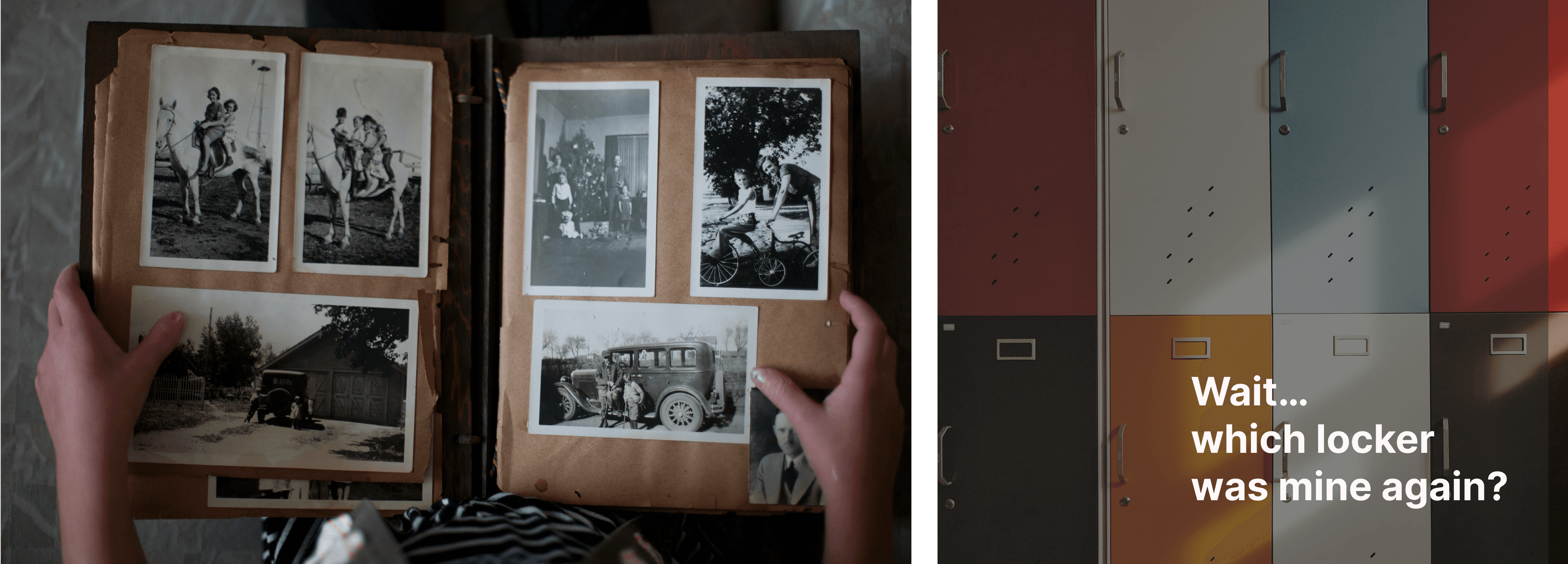
Many photos taken daily serve practical purposes; receipts, parking spots, whiteboards, documents — yet they often get lost in cluttered camera rolls. While users intend to organize them later, manual sorting becomes an extra step that rarely happens. This creates friction, wasted time, and unnecessary stress when trying to retrieve something important.
UI/UX Designer
I worked as a UI/UX Designer within a multidisciplinary team during a collaborative design sprint at the Apple Developer Academy. My responsibilities included conducting generative research, mapping user journeys, synthesizing insights on our shared virtual whiteboards, and designing high fidelity interfaces. I led the visual design direction and ensured the core interactions felt intuitive and emotionally engaging.
From discovery to test and iterate
Research & Discovery
We began by exploring how people currently store and interact with their memories. Using collaborative whiteboarding tools, we mapped out our initial assumptions and established team agreements to align our goals. We interviewed peers and potential users to understand the emotional friction points of looking back at past photos and notes. We discovered that many people felt anxiety rather than joy when scrolling through cluttered, unorganized galleries, and that traditional text heavy journaling felt like a chore.
Define & Synthesize
After our interviews, I clustered the insights to identify recurring themes. The most prominent pattern was the desire for a "curated sanctuary" rather than a digital dumping ground. I synthesized these findings to build a clear picture of our target user: someone who values deep reflection and nostalgia but lacks the time to actively organize their digital life. We mapped out the ideal user journey, pinpointing exactly where our app could introduce moments of delight and reflection.
Ideate
Using our synthesized data, the team ran a brainstorming session focusing on concepts like guided reflection and contextual memory. We generated ideas ranging from automated digital scrapbooks to emotion based tagging systems. Through voting and feasibility discussions, we narrowed our focus to a lightweight, prompt based journaling and media organization system that required minimal effort from the user but delivered high emotional value.
Prototype
Before jumping into Figma, I reviewed existing journaling apps and native photo galleries. I noted that many competitors felt either too text heavy or too visually chaotic. We decided to prioritize a highly visual, clean interface that puts the user's media front and center. I then developed high fidelity prototypes, focusing on smooth transitions, intuitive navigation, and a calming visual aesthetic that invited users to slow down.
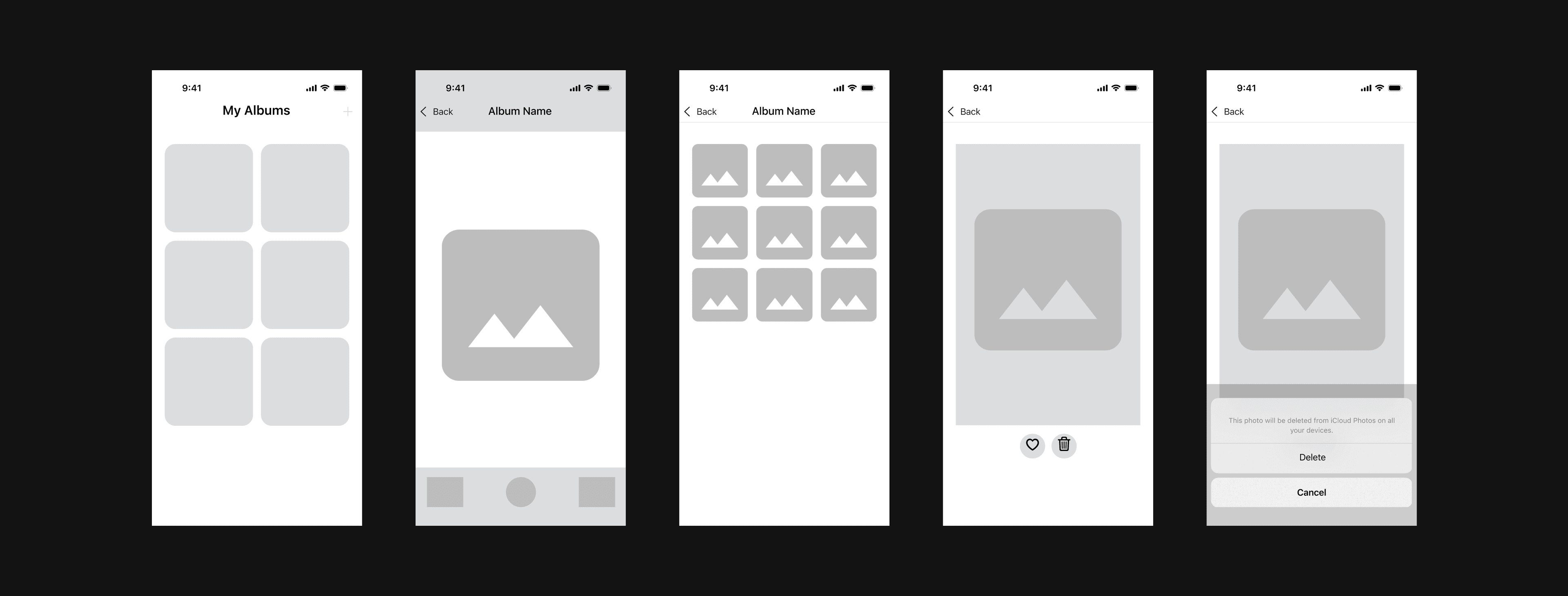
Low-Fidelity Wireframes
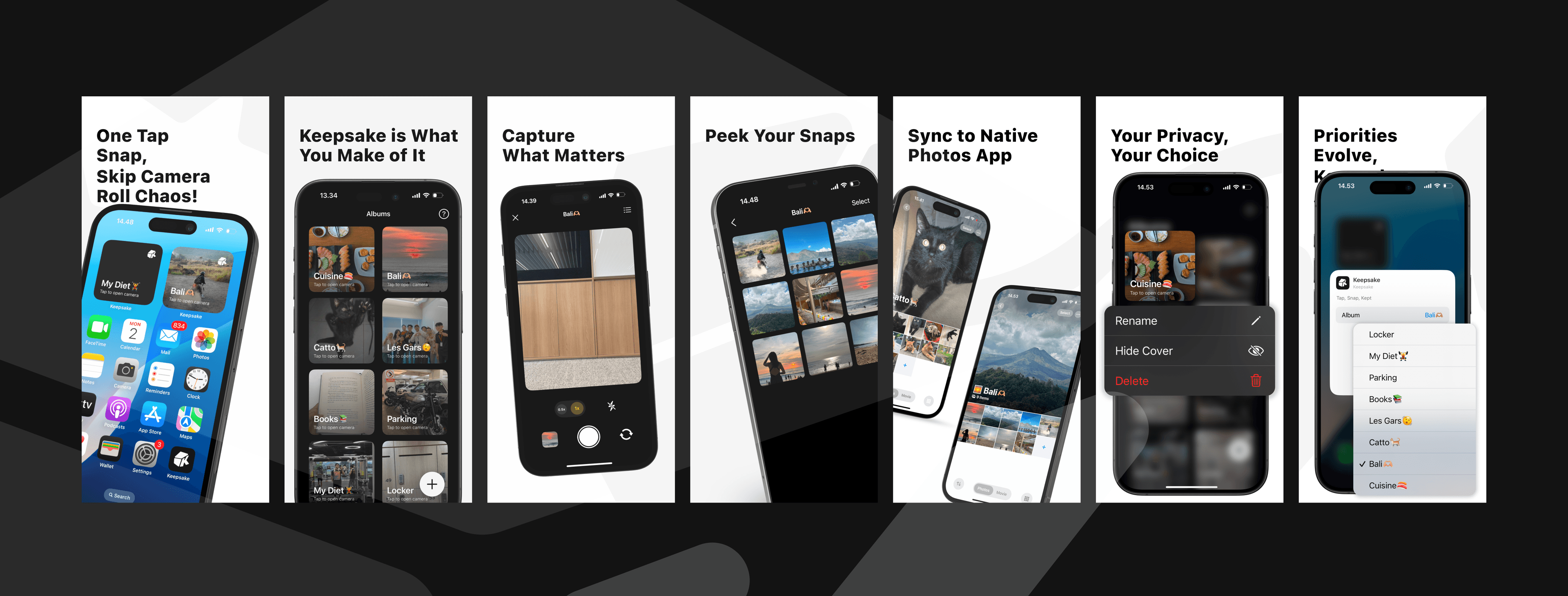
High-Fidelity Screens
Test & Iterate
We conducted usability testing with our initial prototypes to see how users interacted with the memory logging flow. Early feedback indicated that our initial tagging system was a bit too complex and required too much cognitive load. I iterated on the design by simplifying the interaction model, allowing for effortless categorization with just a few taps. We also refined the visual hierarchy to ensure the focus remained entirely on the user's content rather than the UI elements.
The reasoning behind critical choices
Focus on Private Curation
Unlike social platforms that encourage broadcasting, we designed Keepsake entirely for the individual. We intentionally omitted social sharing features to eliminate performance pressure, allowing users to be completely authentic in how they document their lives. This decision reinforced the app's core value proposition as a safe, private sanctuary.
Emotion-Led Organization
Instead of relying strictly on chronological sorting, we introduced ways to organize memories by mood and personal significance. This decision was grounded in our research, which showed that users often seek out specific feelings or themes rather than specific dates when reminiscing. It allows for a much more natural and human way of navigating past experiences.
Minimalist Aesthetic
To ensure the user's photos and words were the true focus of the experience, I established a minimalist design system. By utilizing ample white space, subtle typography, and neutral backgrounds, the interface acts as a quiet frame for the user's vibrant memories. This approach created a museum like quality for everyday moments.
Available on the App Store
The outcome is Keepsake, a fully functional iOS application that is now available on the App Store. The app features a seamless flow for adding multimedia entries, an intuitive categorization system, and a clean, distraction free reflection gallery. The project successfully translated complex emotional needs into a straightforward, beautiful digital product. We managed to create an environment that encourages mindful reflection without feeling burdensome.
What I Learned
This project deepened my understanding of emotional design. I learned that designing for private, personal experiences requires a very different approach to user engagement than designing for productivity or social interaction. The success of the app relied on removing friction and creating a sense of calm. Most importantly, this sprint honed my ability to translate abstract human feelings like nostalgia and reflection into concrete, user friendly UI patterns and interactions.